
DatumX Early Access
Schedule Exporter for Revit. DatumX turns every BWIC in your linked models into a formatted, photo-embedded Excel schedule — or lets you build your own column layout from any parameter you can find.
Schedule Exporter for Revit. DatumX turns every BWIC in your linked models into a formatted, photo-embedded Excel schedule — or lets you build your own column layout from any parameter you can find.
A typical BWIC coordination job: a live model with linked MEP and structural files, hundreds of openings, and a schedule that needs re-doing every time the model changes. Here's that same workflow run through DatumX, screen by screen.
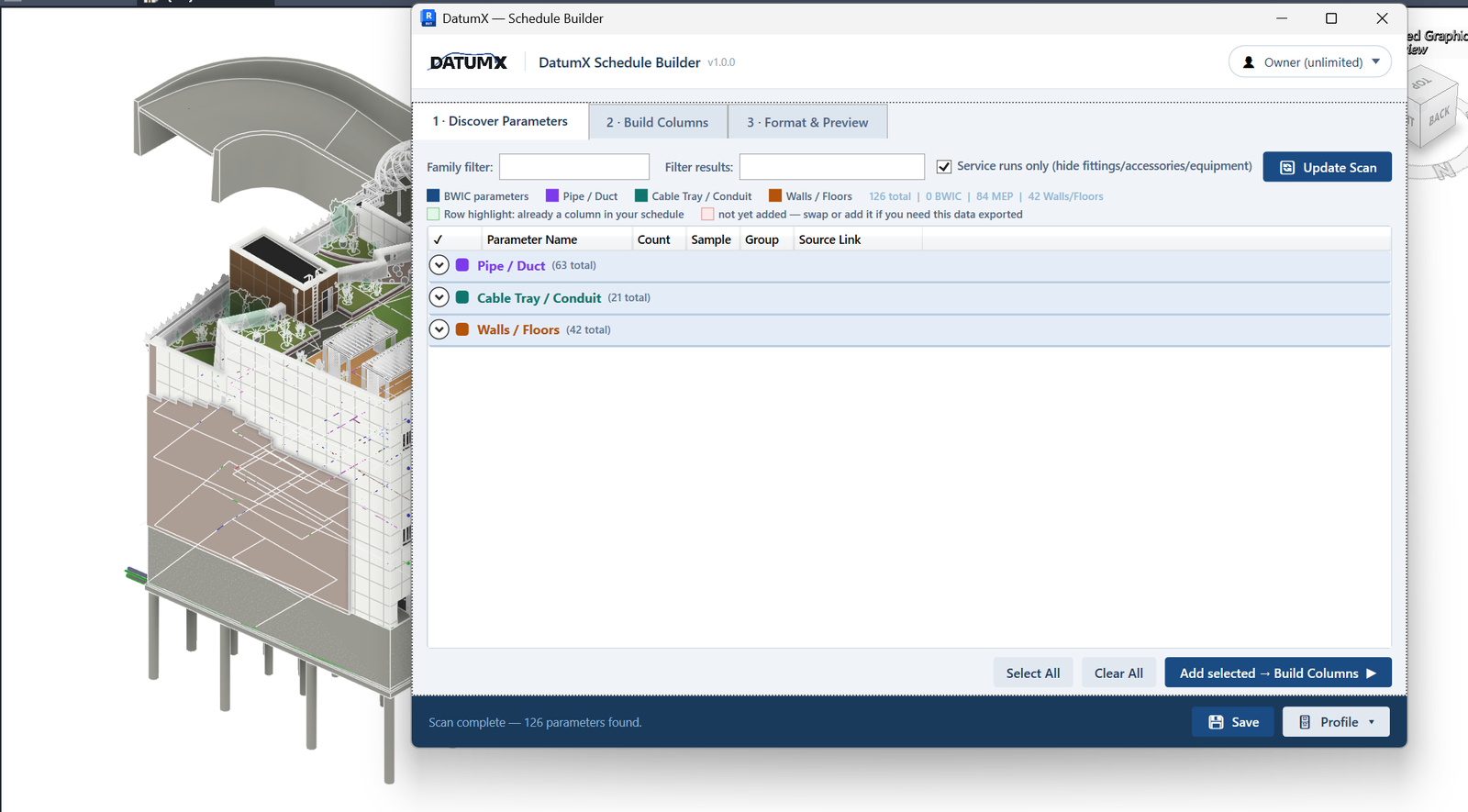
DatumX Schedule Builder's first tab scans the live model and every linked file, then groups everything it finds — BWIC parameters, MEP, host walls and floors — with a live count of each. On this model: 126 parameters across 63 Pipe/Duct, 21 Cable Tray/Conduit, and 42 wall/floor parameters, with no manual list-building.
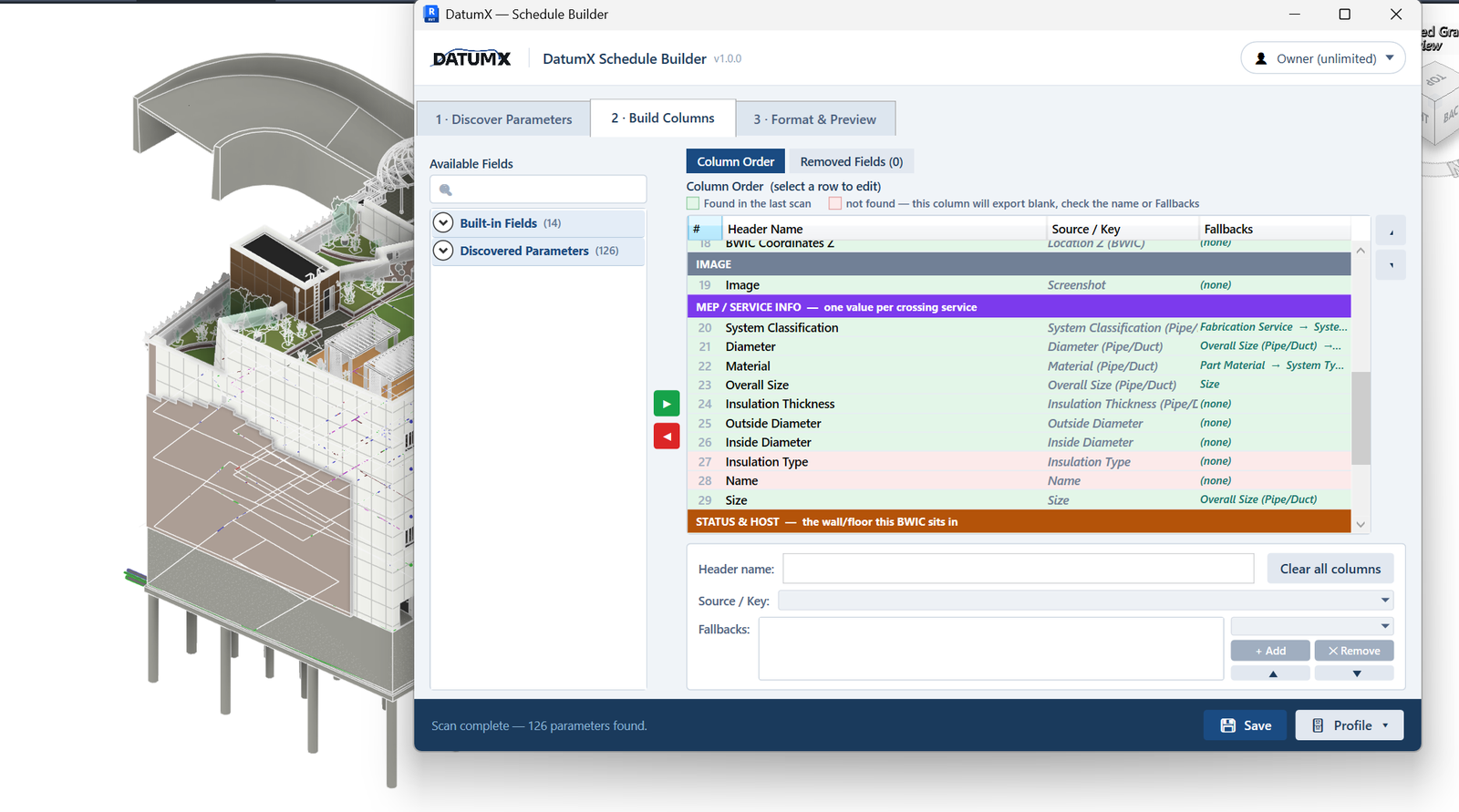
Every discovered parameter gets mapped to a header name and a source/key, with fallback values for anything a family might be missing. Rows that resolved cleanly in the last scan are flagged green; anything that would export blank is flagged before it ever reaches Excel.
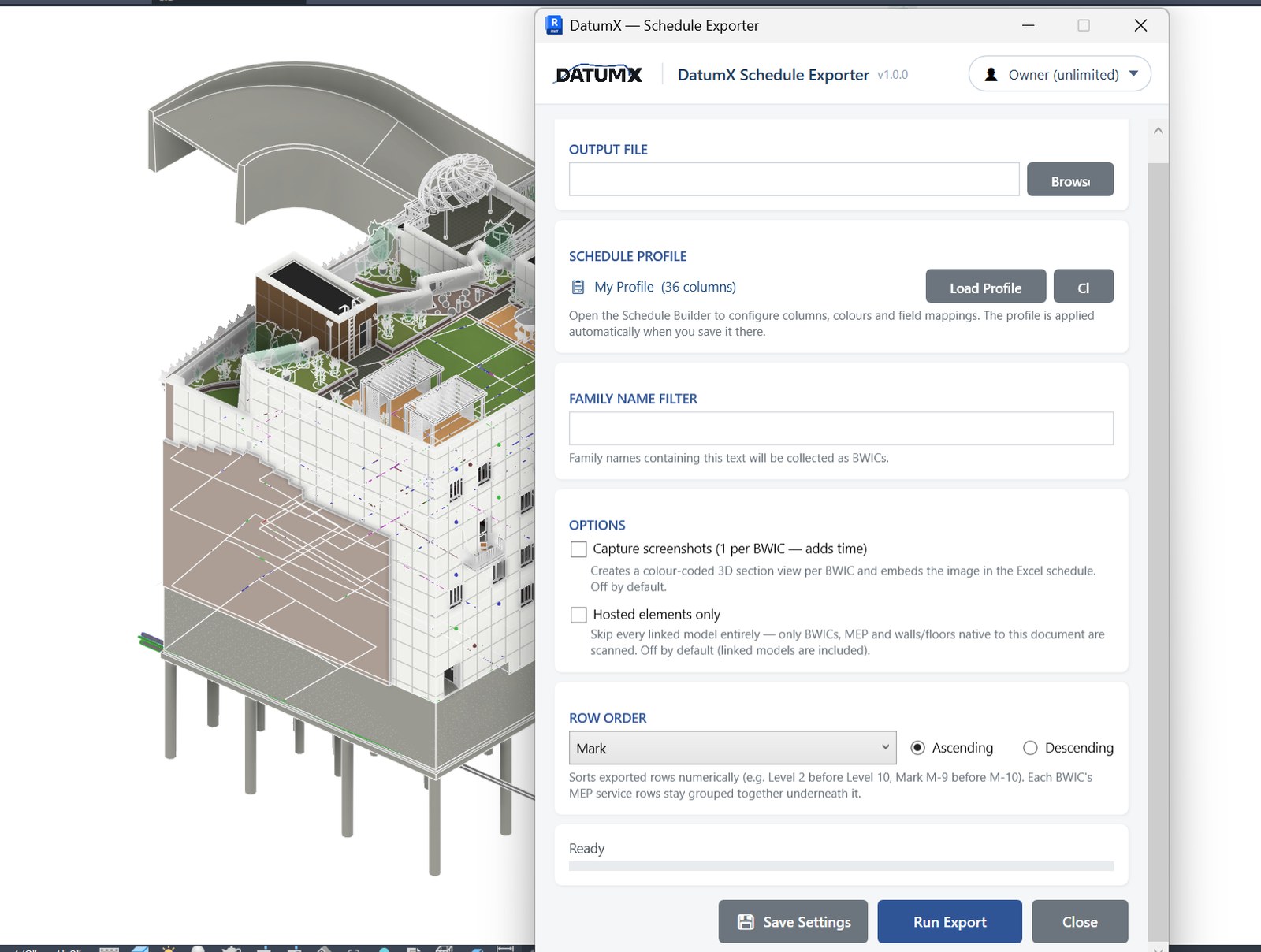
The scan runs directly against the current model and its linked MEP and structural files — no separate export step, no re-linking. Re-run it after the model changes and the same column profile applies automatically.
What used to mean copying values row by row now runs as a scan — the schedule comes out the other side already formatted.
Unresolved columns are flagged before export, not discovered after the schedule's already been sent out.
Column layouts are saved once and reused — a model update doesn't mean rebuilding the schedule from scratch.
Two commands, one shared intersection engine — export the default layout, or build your own.
Collects every BWIC instance from the model and linked files, pairs it with the MEP service passing through, and writes a formatted Excel schedule.
Discovers every parameter across your BWIC family instances and lets you assemble a fully custom schedule layout — header names, colours, column order — saved as a reusable profile.
Most exporters give you a fixed list of columns and stop there. DatumX assumes the schedule is a deliverable, not a byproduct.
Each row in the exported Excel schedule can carry a screenshot of that exact opening and the services running through it.
DatumX Schedule Builder discovers every parameter on your BWIC elements and lets you assemble the exact column set your project needs — not a fixed template.
Normal, per-link, and merge modes with JSON caching mean large linked models don't have to be re-scanned in full on every run.
Sort by Level or Mark and get "2" before "10", not the other way round — ascending or descending, either field.
Choose the current model and any linked MEP / structural files to scan — normal, per-link, or merged federated mode.
Every BWIC instance is matched with the MEP service passing through it, and its host wall, floor or beam type is identified.
Use the default column set, or open DatumX Schedule Builder to choose columns, order, header names and colours.
Write the Excel schedule with screenshots, then re-run any time the model changes — same layout, same profile.
DatumX is in early access — pricing is scoped to your team size and how you're rolling it out, not a flat self-serve rate. Get in touch and we'll walk you through it.
Contact info@datumx.dev for pricing — founding users get priority onboarding and a direct line to shape the roadmap. Also picking up DatumX Creator or DatumX Converter? Ask about bundling when you get in touch.
Request a quoteGet in touch to see DatumX on a real federated model.
Contact DatumX